
 wx.GraphicsRenderer
A wx.GraphicsRenderer is the instance corresponding to the rendering engine used.
There may be multiple instances on a system, if there are different rendering engines present, but there is always only one instance per engine. This instance is pointed back to by all objects created by it ( wx.GraphicsContext, wx.GraphicsPath, etc.) and can be retrieved through their wx.GraphicsObject.GetRenderer method. Therefore, you can create an additional instance of a path (or other objects) by calling wx.GraphicsObject.GetRenderer and then using the appropriate CreateXXX() function of that renderer.
path = wx.GraphicsPath() # from somewhere
brush = path.GetRenderer().CreateBrush(wx.BLACK_BRUSH)
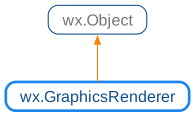
 Class Hierarchy
 Methods Summary
Creates wx.GraphicsBitmap from an existing wx.Bitmap. |
|
Creates wx.GraphicsBitmap from an existing wx.Image. |
|
Creates wx.GraphicsBitmap from a native bitmap handle. |
|
Creates a native brush from a wx.Brush. |
|
Creates a wx.GraphicsContext from a wx.Window. |
|
Creates a wx.GraphicsContext associated with a wx.Image. |
|
Creates a wx.GraphicsContext from a native context. |
|
Creates a wx.GraphicsContext from a native window. |
|
Creates a wx.GraphicsContext from a DC of unknown specific type. |
|
Creates a native graphics font from a wx.Font and a text colour. |
|
Creates a native graphics font from a wx.Font and a text colour. |
|
Creates a wx.Image from a wx.GraphicsBitmap. |
|
Creates a native brush with a linear gradient. |
|
Creates a native affine transformation matrix from the passed in values. |
|
Creates a wx.GraphicsContext that can be used for measuring texts only. |
|
Creates a native graphics path which is initially empty. |
|
Creates a native pen from its description. |
|
Creates a native brush with a radial gradient. |
|
Extracts a sub-bitmap from an existing bitmap. |
|
Returns the Cairo renderer. |
|
Returns the default renderer on this platform. |
|
Returns Direct2D renderer (MSW and Python3 only). |
|
Returns GDI+ renderer (MSW only). |
|
Returns the name of the technology used by the renderer. |
|
Returns the name of the GraphicsRenderer class. |
|
Returns the version major, minor and micro/build of the technology used by the renderer. |
 Properties Summary
See |
|
See |
 Class API
- class wx.GraphicsRenderer(Object)
A GraphicsRenderer is the instance corresponding to the rendering engine used.
Methods
- CreateBitmap(self, bitmap)
Creates wx.GraphicsBitmap from an existing wx.Bitmap.
- Parameters:
bitmap (wx.Bitmap)
- Return type:
- Returns:
An invalid NullGraphicsBitmap on failure.
- CreateBitmapFromImage(self, image)
Creates wx.GraphicsBitmap from an existing wx.Image.
This method is more efficient than converting a wx.Image to a wx.Bitmap first and then calling
CreateBitmap, but otherwise has the same effect.- Parameters:
image (wx.Image)
- Return type:
- Returns:
An invalid NullGraphicsBitmap on failure.
Added in version 2.9.3.
- CreateBitmapFromNativeBitmap(self, bitmap)
Creates wx.GraphicsBitmap from a native bitmap handle.
bitmap meaning is platform-dependent. Currently, it’s a GDI+
Bitmappointer under MSW, aCGImagepointer under macOS or acairo_surface_tpointer when using Cairo under any platform.Notice that this method takes ownership of bitmap, i.e. it will be destroyed when the returned wx.GraphicsBitmap is.
- Parameters:
bitmap
- Return type:
- CreateBrush(self, brush)
Creates a native brush from a wx.Brush.
- Parameters:
brush (wx.Brush)
- Return type:
- CreateContext(self, *args, **kw)
 Overloaded Implementations:
CreateContext (self, window)
Creates a wx.GraphicsContext from a wx.Window.
- Parameters:
window (wx.Window)
- Return type:
CreateContext (self, windowDC)
Creates a wx.GraphicsContext from a wx.WindowDC.
- Parameters:
windowDC (wx.WindowDC)
- Return type:
CreateContext (self, memoryDC)
Creates a wx.GraphicsContext from a wx.MemoryDC.
- Parameters:
memoryDC (wx.MemoryDC)
- Return type:
CreateContext (self, printerDC)
Creates a wx.GraphicsContext from a wx.PrinterDC.
- Parameters:
printerDC (wx.PrinterDC)
- Return type:
Note
Not implemented for the Direct2D renderer (on MSW).
- CreateContextFromImage(self, image)
Creates a wx.GraphicsContext associated with a wx.Image.
This function is used by Context.CreateFromImage() and is not normally called directly.
- Parameters:
image (wx.Image)
- Return type:
Added in version 2.9.3.
- CreateContextFromNativeContext(self, context)
Creates a wx.GraphicsContext from a native context.
This native context must be a
CGContextReffor Core Graphics, aGraphicspointer for GDI+, anID2D1RenderTargetpointer for Direct2D, acairo_tpointer orHDCfor Cairo on MSW, or acairo_tpointer for Cairo on any other platform.- Parameters:
context
- Return type:
- CreateContextFromNativeWindow(self, window)
Creates a wx.GraphicsContext from a native window.
- Parameters:
window
- Return type:
- CreateContextFromUnknownDC(self, dc)
Creates a wx.GraphicsContext from a DC of unknown specific type.
Creates a wx.GraphicsContext if dc is a supported type (i.e. has a corresponding
CreateContextmethod, e.g. wx.WindowDC or wx.MemoryDC).This method is only useful as a helper in generic code that operates with wx.DC and doesn’t known its exact type. Use the appropriate
CreateContextoverload instead if you know what the DC is (e.g., wx.WindowDC).- Parameters:
dc (wx.DC)
- Return type:
- Returns:
nullptr if the DC is unsupported.
Added in version 4.1/wxWidgets-3.1.3.
- CreateFont(self, *args, **kw)
- Overloaded Implementations:
CreateFont (self, font, col=BLACK)
Creates a native graphics font from a wx.Font and a text colour.
- Parameters:
- Return type:
CreateFont (self, sizeInPixels, facename, flags=FONTFLAG_DEFAULT, col=BLACK)
Creates a graphics font with the given characteristics.
If possible, the
CreateFontoverload taking wx.Font should be used instead. The main advantage of this overload is that it can be used without X server connection under Unix when using Cairo.- Parameters:
sizeInPixels (float) – Height of the font in user space units (normally pixels). Notice that this is different from the overload taking wx.Font as wx.Font’s size is specified in points.
facename (string) – The name of the font. The same font name might not be available under all platforms so the font name can also be empty to use the default platform font.
flags (int) – Combination of FontFlag enum elements. Currently only
FONTFLAG_ITALICandFONTFLAG_BOLDare supported. By default, the normal font version is used.col (wx.Colour) – The font colour, black by default.
- Return type:
Added in version 2.9.3.
- CreateFontAtDPI(self, font, dpi, col=BLACK)
Creates a native graphics font from a wx.Font and a text colour.
The specified
DPIis used to convert the (fractional) wx.Font point-size to a fractional pixel-size.- Parameters:
font (wx.Font)
dpi (wx.RealPoint)
col (wx.Colour)
- Return type:
Added in version 4.1/wxWidgets-3.1.3.
- CreateImageFromBitmap(self, bmp)
Creates a wx.Image from a wx.GraphicsBitmap.
This method is used by the more convenient
wx.GraphicsBitmap.ConvertToImage.- Parameters:
bmp (wx.GraphicsBitmap)
- Return type:
- CreateLinearGradientBrush(self, x1, y1, x2, y2, stops, matrix=NullGraphicsMatrix)
Creates a native brush with a linear gradient.
Stops support is new since wxWidgets 2.9.1; previously, only the start and end colours could be specified.
The ability to apply a transformation matrix to the gradient was added in 3.1.3.
- Parameters:
x1 (wx.Double)
y1 (wx.Double)
x2 (wx.Double)
y2 (wx.Double)
stops (wx.GraphicsGradientStops)
matrix (wx.GraphicsMatrix)
- Return type:
- CreateMatrix(self, a=1.0, b=0.0, c=0.0, d=1.0, tx=0.0, ty=0.0)
Creates a native affine transformation matrix from the passed in values.
The defaults result in an identity matrix.
- Parameters:
a (wx.Double)
b (wx.Double)
c (wx.Double)
d (wx.Double)
tx (wx.Double)
ty (wx.Double)
- Return type:
- CreateMeasuringContext(self)
Creates a wx.GraphicsContext that can be used for measuring texts only.
No drawing commands are allowed.
- Return type:
- CreatePath(self)
Creates a native graphics path which is initially empty.
- Return type:
- CreatePen(self, info)
Creates a native pen from its description.
- Parameters:
info (wx.GraphicsPenInfo)
- Return type:
Added in version 4.1/wxWidgets-3.1.1.
- CreateRadialGradientBrush(self, startX, startY, endX, endY, radius, stops, matrix=NullGraphicsMatrix)
Creates a native brush with a radial gradient.
Stops support is new since wxWidgets 2.9.1; previously, only the start and end colours could be specified.
The ability to apply a transformation matrix to the gradient was added in 3.1.3.
- Parameters:
startX (wx.Double)
startY (wx.Double)
endX (wx.Double)
endY (wx.Double)
radius (wx.Double)
stops (wx.GraphicsGradientStops)
matrix (wx.GraphicsMatrix)
- Return type:
- CreateSubBitmap(self, bitmap, x, y, w, h)
Extracts a sub-bitmap from an existing bitmap.
- Parameters:
bitmap (wx.GraphicsBitmap)
x (wx.Double)
y (wx.Double)
w (wx.Double)
h (wx.Double)
- Return type:
- static GetCairoRenderer()
Returns the Cairo renderer.
- Return type:
- static GetDefaultRenderer()
Returns the default renderer on this platform.
On macOS, this is the Core Graphics (a.k.a. Quartz
2D) renderer, on MSW the GDI+ renderer, and on GTK we currently default to the Cairo renderer.- Return type:
- static GetDirect2DRenderer()
Returns Direct2D renderer (MSW and Python3 only).
- Return type:
- static GetGDIPlusRenderer()
Returns GDI+ renderer (MSW only).
- Return type:
- GetName(self)
Returns the name of the technology used by the renderer.
Currently, this function returns “gdiplus” for the Windows GDI+ implementation, “direct2d” for Windows Direct2D, “cairo” for Cairo and “cg” for macOS CoreGraphics.
- Return type:
str
Added in version 4.1/wxWidgets-3.1.0.
Note
The string returned by this method is not user-readable and is expected to be used internally by the program only.
- GetType(self)
Returns the name of the GraphicsRenderer class.
- GetVersion(self, major, minor=nullptr, micro=nullptr)
Returns the version major, minor and micro/build of the technology used by the renderer.
Currently, this function returns the OS major and minor versions in the parameters with the matching names and sets micro to 0 for the GDI+ and CoreGraphics engines, which are considered to be parts of their respective OS.
For Cairo, this is the major,minor,micro version of the Cairo library which is returned.
- Parameters:
major (int)
minor (int)
micro (int)
- Return type:
None
Properties
