
 wx.ReadOnlyDC
Base class for device context not providing any drawing functions.
Objects of this class can’t be created directly, please see wx.DC for the description of how to create objects of the derived classes.
Please note that all wxWidgets functions taking parameters of this type added before wxWidgets 3.3.0 used to take wx.DC instead and that they can still be called with wx.DC objects, as wx.DC inherits from wx.ReadOnlyDC.
Added in version 4.3/wxWidgets-3.3.0.
 Class Hierarchy
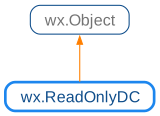
 Known Subclasses
wx.DC, InfoDC
 Methods Summary
Does the DC support drawing bitmaps? |
|
Does the DC support calculating the size required to draw text? |
|
Check if the use of transformation matrix is supported by the current system. |
|
Converts device (x, y) coordinates to logical coordinates taking into account all applied transformations like the current mapping mode, scale factors, device origin, axes orientation, affine transformation. |
|
Converts device x, y coordinates to relative logical coordinates taking into account all applied transformations like the current mapping mode, scale factors, affine transformation. |
|
Convert device X coordinate to logical coordinate, using the current mapping mode, user scale factor, device origin and axis orientation. |
|
Convert device X coordinate to relative logical coordinate, using the current mapping mode and user scale factor but ignoring the axis orientation. |
|
Converts device Y coordinate to logical coordinate, using the current mapping mode, user scale factor, device origin and axis orientation. |
|
Convert device Y coordinate to relative logical coordinate, using the current mapping mode and user scale factor but ignoring the axis orientation. |
|
Convert DPI-independent pixel values to the value in pixels appropriate for the DC. |
|
Gets the character height of the currently set font. |
|
Gets the average character width of the currently set font. |
|
Returns the factor used for converting logical pixels to physical ones. |
|
Returns the depth (number of bits/pixel) of this DC. |
|
Returns the current device origin. |
|
Gets the current font. |
|
Returns the various font characteristics. |
|
Gets the current layout direction of the device context. |
|
Return the coordinates of the logical point (0, 0). |
|
Return the scale set by the last call to |
|
Gets the current mapping mode for the device context. |
|
Gets the dimensions of the string as it would be drawn. |
|
Returns the resolution of the device in pixels per inch. |
|
Fills the widths array with the widths from the beginning of text to the corresponding character of text. |
|
This is an overloaded member function, provided for convenience. It differs from the above function only in what argument(s) it accepts. |
|
This is an overloaded member function, provided for convenience. It differs from the above function only in what argument(s) it accepts. |
|
Gets the dimensions of the string as it would be drawn. |
|
Return the transformation matrix used by this device context. |
|
Gets the current user scale factor. |
|
Returns |
|
Converts logical (x, y) coordinates to device coordinates taking into account all applied transformations like the current mapping mode, scale factors, device origin, axes orientation, affine transformation. |
|
Converts logical x, y coordinates to relative device coordinates taking into account all applied transformations like the current mapping mode, scale factors, affine transformation. |
|
Converts logical X coordinate to device coordinate, using the current mapping mode, user scale factor, device origin and axis orientation. |
|
Converts logical X coordinate to relative device coordinate, using the current mapping mode and user scale factor but ignoring the axis orientation. |
|
Converts logical Y coordinate to device coordinate, using the current mapping mode, user scale factor, device origin and axis orientation. |
|
Converts logical Y coordinate to relative device coordinate, using the current mapping mode and user scale factor but ignoring the axis orientation. |
|
Revert the transformation matrix to identity matrix. |
|
Sets the x and y axis orientation (i.e. the direction from lowest to highest values on the axis). |
|
Sets the device origin (i.e. the origin in pixels after scaling has been applied). |
|
Sets the current font for the DC. |
|
Sets the current layout direction for the device context. |
|
Change the offset used for translating wx.DC coordinates. |
|
Set the scale to use for translating wx.DC coordinates to the physical pixels. |
|
The mapping mode of the device context defines the unit of measurement used to convert logical units to device units. |
|
Set the transformation matrix. |
|
Sets the user scaling factor, useful for applications which require ‘zooming’. |
|
Convert pixel values of the current DC to DPI-independent pixel values. |
 Properties Summary
See |
|
See |
|
See |
|
See |
|
See |
|
See |
|
See |
|
See |
|
See |
|
See |
|
See |
 Class API
- class wx.ReadOnlyDC(Object)
Base class for device context not providing any drawing functions.
Methods
- CanDrawBitmap(self)
Does the DC support drawing bitmaps?
- Return type:
bool
- CanGetTextExtent(self)
Does the DC support calculating the size required to draw text?
- Return type:
bool
- CanUseTransformMatrix(self)
Check if the use of transformation matrix is supported by the current system.
This function returns
Truefor MSW and GTK+ 3 platforms and since 3.1.1 also for wx.GCDC in all ports.- Return type:
bool
Added in version 2.9.2.
- DeviceToLogical(self, *args, **kw)
 Overloaded Implementations:
DeviceToLogical (self, x, y)
Converts device (x, y) coordinates to logical coordinates taking into account all applied transformations like the current mapping mode, scale factors, device origin, axes orientation, affine transformation.
- Parameters:
x (int)
y (int)
- Return type:
Added in version 4.1/wxWidgets-3.1.5.
DeviceToLogical (self, pt)
This is an overloaded member function, provided for convenience. It differs from the above function only in what argument(s) it accepts.
Added in version 4.1/wxWidgets-3.1.5.
- DeviceToLogicalRel(self, *args, **kw)
- Overloaded Implementations:
DeviceToLogicalRel (self, x, y)
Converts device x, y coordinates to relative logical coordinates taking into account all applied transformations like the current mapping mode, scale factors, affine transformation.
Use this for converting distances like e.g. width and height.
- Parameters:
x (int)
y (int)
- Return type:
Added in version 4.1/wxWidgets-3.1.5.
DeviceToLogicalRel (self, dim)
This is an overloaded member function, provided for convenience. It differs from the above function only in what argument(s) it accepts.
Added in version 4.1/wxWidgets-3.1.5.
- DeviceToLogicalX(self, x)
Convert device X coordinate to logical coordinate, using the current mapping mode, user scale factor, device origin and axis orientation.
- Parameters:
x (int)
- Return type:
int
Note
Affine transformation applied to the coordinate system with
SetTransformMatrixis not taken into account.
- DeviceToLogicalXRel(self, x)
Convert device X coordinate to relative logical coordinate, using the current mapping mode and user scale factor but ignoring the axis orientation.
Use this for converting a horizontal distance like for example a width.
- Parameters:
x (int)
- Return type:
int
Note
Affine transformation applied to the coordinate system with
SetTransformMatrixis not taken into account.
- DeviceToLogicalY(self, y)
Converts device Y coordinate to logical coordinate, using the current mapping mode, user scale factor, device origin and axis orientation.
- Parameters:
y (int)
- Return type:
int
Note
Affine transformation applied to the coordinate system with
SetTransformMatrixis not taken into account.
- DeviceToLogicalYRel(self, y)
Convert device Y coordinate to relative logical coordinate, using the current mapping mode and user scale factor but ignoring the axis orientation.
Use this for converting a vertical distance like for example a height.
- Parameters:
y (int)
- Return type:
int
Note
Affine transformation applied to the coordinate system with
SetTransformMatrixis not taken into account.
- FromDIP(self, *args, **kw)
- Overloaded Implementations:
FromDIP (self, sz)
Convert DPI-independent pixel values to the value in pixels appropriate for the DC.
See Window.FromDIP(const Size& sz) for more info about converting device independent pixel values.
Added in version 4.1/wxWidgets-3.1.7.
FromDIP (self, pt)
This is an overloaded member function, provided for convenience. It differs from the above function only in what argument(s) it accepts.
FromDIP (self, d)
Convert DPI-independent value in pixels to the value in pixels appropriate for the DC.
This is the same as FromDIP(const Size& sz) overload, but assumes that the resolution is the same in horizontal and vertical directions.
- Parameters:
d (int)
- Return type:
int
Added in version 4.1/wxWidgets-3.1.7.
- GetCharHeight(self)
Gets the character height of the currently set font.
- Return type:
int
- GetCharWidth(self)
Gets the average character width of the currently set font.
- Return type:
int
- GetContentScaleFactor(self)
Returns the factor used for converting logical pixels to physical ones.
Returns the same value as
wx.Window.GetDPIScaleFactorfor the device contexts associated with a window and the same value aswx.Bitmap.GetScaleFactorfor the associated bitmap for wx.MemoryDC.- Return type:
float
Added in version 2.9.5.
Note
Beware that since wxWidgets 3.1.6, this function does not return the same value as
wx.Window.GetContentScaleFactorfor the device contexts associated with the window. Unlike wx.Window method, it always returns the effective scale factor instead of always returning 1 on platforms where logical pixels are the same as physical ones, such as MSW.
- GetDepth(self)
Returns the depth (number of bits/pixel) of this DC.
- Return type:
int
See also
- GetDeviceOrigin(self)
Returns the current device origin.
- Return type:
See also
- GetFont(self)
Gets the current font.
Notice that even although each device context object has some default font after creation, this method would return a
wx.NullFontinitially and only after callingSetFonta valid font is returned.- Return type:
- GetFontMetrics(self)
Returns the various font characteristics.
This method allows retrieving some of the font characteristics not returned by
GetTextExtent, notably internal leading and average character width.Currently this method returns correct results only under wxMSW, in the other ports the internal leading will always be 0 and the average character width will be computed as the width of the character ‘x’.
- Return type:
Added in version 2.9.2.
- GetLayoutDirection(self)
Gets the current layout direction of the device context.
On platforms where RTL layout is supported, the return value will either be
Layout_LeftToRightorLayout_RightToLeft. If RTL layout is not supported, the return value will beLayout_Default.- Return type:
See also
- GetLogicalOrigin(self)
Return the coordinates of the logical point (0, 0).
- Return type:
Tuple[int, int]
See also
- GetLogicalScale(self)
Return the scale set by the last call to
SetLogicalScale.- Return type:
Tuple[float, float]
- GetMapMode(self)
Gets the current mapping mode for the device context.
- Return type:
See also
- GetFullMultiLineTextExtent(self, string, font=nullptr)
Gets the dimensions of the string as it would be drawn.
The
stringparameter is the string to measure. The return value is a tuple of integer values consisting ofwidget,heightandheightLine. TheheightLineis the the height of a single line.If the optional parameter
fontis specified and valid, then it is used for the text extent calculation. Otherwise the currently selected font is.Note
This function works with both single-line and multi-line strings.
- Parameters:
string (string)
font (wx.Font)
- Return type:
Tuple[int, int, int]
- GetPartialTextExtents(self, text)
Fills the widths array with the widths from the beginning of text to the corresponding character of text.
The generic version simply builds a running total of the widths of each character using
GetTextExtent, however if the various platforms have a native API function that is faster or more accurate than the generic implementation then it should be used instead.
- GetSize(self)
This is an overloaded member function, provided for convenience. It differs from the above function only in what argument(s) it accepts.
- Return type:
- GetSizeMM(self)
This is an overloaded member function, provided for convenience. It differs from the above function only in what argument(s) it accepts.
- Return type:
- GetFullTextExtent(self, string, font=nullptr)
Gets the dimensions of the string as it would be drawn.
The
stringparameter is the string to measure. The return value is a tuple of integer values consisting ofwidget,height,decentandexternalLeading. Thedescentis the dimension from the baseline of the font to the bottom of the descender, andexternalLeadingis any extra vertical space added to the font by the font designer (usually is zero).If the optional parameter
fontis specified and valid, then it is used for the text extent calculation. Otherwise the currently selected font is.- Parameters:
string (string)
font (wx.Font)
- Return type:
Tuple[int, int, int, int]
- GetTransformMatrix(self)
Return the transformation matrix used by this device context.
By default the transformation matrix is the identity matrix.
- Return type:
Added in version 2.9.2.
- GetUserScale(self)
Gets the current user scale factor.
- IsOk(self)
Returns
Trueif the DC is ok to use.- Return type:
bool
- LogicalToDevice(self, *args, **kw)
- Overloaded Implementations:
LogicalToDevice (self, x, y)
Converts logical (x, y) coordinates to device coordinates taking into account all applied transformations like the current mapping mode, scale factors, device origin, axes orientation, affine transformation.
- Parameters:
x (int)
y (int)
- Return type:
Added in version 4.1/wxWidgets-3.1.5.
LogicalToDevice (self, pt)
This is an overloaded member function, provided for convenience. It differs from the above function only in what argument(s) it accepts.
Added in version 4.1/wxWidgets-3.1.5.
- LogicalToDeviceRel(self, *args, **kw)
- Overloaded Implementations:
LogicalToDeviceRel (self, x, y)
Converts logical x, y coordinates to relative device coordinates taking into account all applied transformations like the current mapping mode, scale factors, affine transformation.
Use this for converting distances like e.g. width and height.
- Parameters:
x (int)
y (int)
- Return type:
Added in version 4.1/wxWidgets-3.1.5.
LogicalToDeviceRel (self, dim)
This is an overloaded member function, provided for convenience. It differs from the above function only in what argument(s) it accepts.
Added in version 4.1/wxWidgets-3.1.5.
- LogicalToDeviceX(self, x)
Converts logical X coordinate to device coordinate, using the current mapping mode, user scale factor, device origin and axis orientation.
- Parameters:
x (int)
- Return type:
int
Note
Affine transformation applied to the coordinate system with
SetTransformMatrixis not taken into account.
- LogicalToDeviceXRel(self, x)
Converts logical X coordinate to relative device coordinate, using the current mapping mode and user scale factor but ignoring the axis orientation.
Use this for converting a horizontal distance like for example a width.
- Parameters:
x (int)
- Return type:
int
Note
Affine transformation applied to the coordinate system with
SetTransformMatrixis not taken into account.
- LogicalToDeviceY(self, y)
Converts logical Y coordinate to device coordinate, using the current mapping mode, user scale factor, device origin and axis orientation.
- Parameters:
y (int)
- Return type:
int
Note
Affine transformation applied to the coordinate system with
SetTransformMatrixis not taken into account.
- LogicalToDeviceYRel(self, y)
Converts logical Y coordinate to relative device coordinate, using the current mapping mode and user scale factor but ignoring the axis orientation.
Use this for converting a vertical distance like for example a height.
- Parameters:
y (int)
- Return type:
int
Note
Affine transformation applied to the coordinate system with
SetTransformMatrixis not taken into account.
- ResetTransformMatrix(self)
Revert the transformation matrix to identity matrix.
- Return type:
None
Added in version 2.9.2.
- SetAxisOrientation(self, xLeftRight, yBottomUp)
Sets the x and y axis orientation (i.e. the direction from lowest to highest values on the axis).
The default orientation is x axis from left to right and y axis from top down.
- Parameters:
xLeftRight (bool) – True to set the x axis orientation to the natural left to right orientation,
Falseto invert it.yBottomUp (bool) – True to set the y axis orientation to the natural bottom up orientation,
Falseto invert it.
- Return type:
None
- SetDeviceOrigin(self, x, y)
Sets the device origin (i.e. the origin in pixels after scaling has been applied).
This function may be useful in Windows printing operations for placing a graphic on a page.
- Parameters:
x (int)
y (int)
- Return type:
None
- SetFont(self, font)
Sets the current font for the DC.
The font parameter should be valid, although in wxMSW port (only) the argument
wx.NullFontis also accepted and resets the device context font to the default value used by the system (which is not generally useful).- Parameters:
font (wx.Font)
- Return type:
None
See also
- SetLayoutDirection(self, dir)
Sets the current layout direction for the device context.
- Parameters:
dir (LayoutDirection) – May be either
Layout_Default,Layout_LeftToRightorLayout_RightToLeft.- Return type:
None
See also
- SetLogicalOrigin(self, x, y)
Change the offset used for translating wx.DC coordinates.
- Parameters:
x (int)
y (int)
- Return type:
None
See also
- SetLogicalScale(self, x, y)
Set the scale to use for translating wx.DC coordinates to the physical pixels.
The effect of calling this function is similar to that of calling
SetUserScale.- Parameters:
x (float)
y (float)
- Return type:
None
- SetMapMode(self, mode)
The mapping mode of the device context defines the unit of measurement used to convert logical units to device units.
Note that in X, text drawing isn’t handled consistently with the mapping mode; a font is always specified in point size. However, setting the user scale (see
SetUserScale) scales the text appropriately. In Windows, scalable TrueType fonts are always used; in X, results depend on availability of fonts, but usually a reasonable match is found.The coordinate origin is always at the top left of the screen/printer.
Drawing to a Windows printer device context uses the current mapping mode, but mapping mode is currently ignored for PostScript output.
- Parameters:
mode (MappingMode)
- Return type:
None
- SetTransformMatrix(self, matrix)
Set the transformation matrix.
If transformation matrix is supported on the current system, the specified matrix will be used to transform between wx.DC and physical coordinates. Otherwise the function returns
Falseand doesn’t change the coordinate mapping.- Parameters:
matrix (wx.AffineMatrix2D)
- Return type:
bool
Added in version 2.9.2.
- SetUserScale(self, xScale, yScale)
Sets the user scaling factor, useful for applications which require ‘zooming’.
- Parameters:
xScale (float)
yScale (float)
- Return type:
None
- ToDIP(self, *args, **kw)
- Overloaded Implementations:
ToDIP (self, sz)
Convert pixel values of the current DC to DPI-independent pixel values.
See Window.ToDIP(const Size& sz) for more info about converting device independent pixel values.
Added in version 4.1/wxWidgets-3.1.7.
ToDIP (self, pt)
This is an overloaded member function, provided for convenience. It differs from the above function only in what argument(s) it accepts.
ToDIP (self, d)
Convert pixel values of the current DC to DPI-independent pixel values.
This is the same as ToDIP(const Size& sz) overload, but assumes that the resolution is the same in horizontal and vertical directions.
- Parameters:
d (int)
- Return type:
int
Added in version 4.1/wxWidgets-3.1.7.
Properties
- CharHeight
See
GetCharHeight
- CharWidth
See
GetCharWidth
- ContentScaleFactor
- DeviceOrigin
See
GetDeviceOrigin
- FontMetrics
See
GetFontMetrics
- LayoutDirection
See
GetLayoutDirectionandSetLayoutDirection
- MapMode
See
GetMapModeandSetMapMode
- TransformMatrix
See
GetTransformMatrixandSetTransformMatrix
