
 wx.LogBuffer
wx.LogBuffer is a very simple implementation of log sink which simply collects all the logged messages in a string (except the debug messages which are output in the usual way immediately as we’re presumably not interested in collecting them for later).
The messages from different log function calls are separated by the new lines.
All the messages collected so far can be shown to the user (and the current buffer cleared) by calling the overloaded wx.LogBuffer.Flush method.
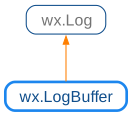
 Class Hierarchy
 Methods Summary
The default constructor does nothing. |
|
Clear all the messages in the buffer. |
|
Shows all the messages collected so far to the user (using a message box in the GUI applications or by printing them out to the console in text mode) and clears the internal buffer. |
|
Returns the current buffer contains. |
 Properties Summary
See |
 Class API
- class wx.LogBuffer(Log)
Possible constructors:
LogBuffer() -> None
LogBuffer is a very simple implementation of log sink which simply collects all the logged messages in a string (except the debug messages which are output in the usual way immediately as we’re presumably not interested in collecting them for later).
Methods
- __init__(self)
The default constructor does nothing.
- Return type:
None
- Clear(self)
Clear all the messages in the buffer.
This can be done to prevent them from being flushed by the next call to
Flush, which happens implicitly if this logger ceases to be the active logger after a call towx.Log.SetActiveTargetwith a different log target.- Return type:
None
Added in version 4.3/wxWidgets-3.3.0.
- Flush(self)
Shows all the messages collected so far to the user (using a message box in the GUI applications or by printing them out to the console in text mode) and clears the internal buffer.
- Return type:
None
- GetBuffer(self)
Returns the current buffer contains.
Messages from different log function calls are separated with the new lines in the buffer. The buffer can be cleared by
Flushwhich will also show the current contents to the user.- Return type:
str
Properties
